
CakeMail Review 2025: Affordable Email Marketing
CakeMail Review 2025: after testing this budget-friendly email marketing tool for side hustlers & SMEs. See real results, key features, pricing, pros, and cons.
MAKE MONEY WITH AI TOOLS
NoMoreBrokeClub
8/14/20255 min read
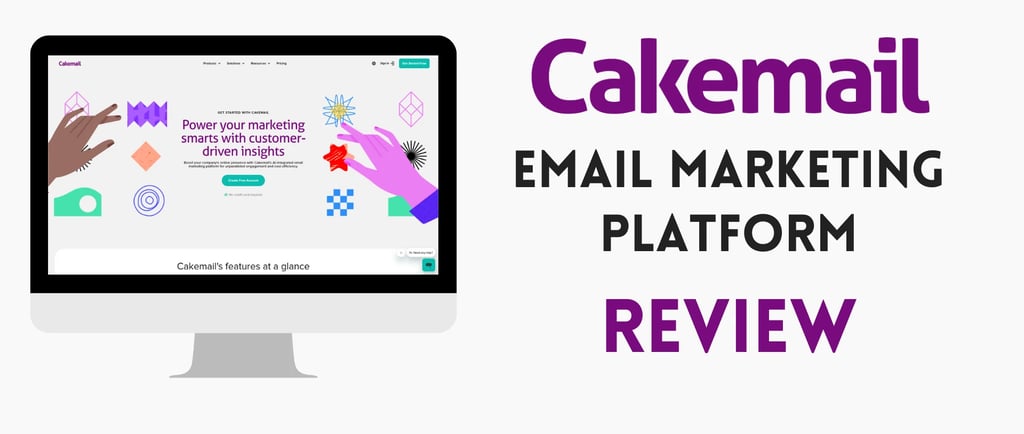
Looking to grow your email list and boost affiliate marketing efforts? CakeMail is a budget-friendly email marketing tool perfect for beginners and small businesses. With plans starting as low as $9 per month for 500 contacts and a free tier if you have less than 500 contacts and send less than 6000 emails per month, CakeMail is an affordable choice to engage audiences on platforms like TikTok and YouTube.
While CakeMail doesn’t offer complex automation features, its intuitive interface and cost-effective pricing make it an ideal solution for those starting with email marketing. In my first month using CakeMail, I ran simple affiliate campaigns for both NordVPN (a popular VPN service) and CapCut (a widely-used video editing app) and earned $285 in commissions with minimal setup.
In this 2025 review, I share real results, pros and cons, and actionable tips for using CakeMail to grow your email list, improve affiliate marketing performance, and enhance customer engagement. Is CakeMail the right email marketing platform for your business? Read on to find out.
Why CakeMail Works for Side Hustlers & SMEs
CakeMail is built for small businesses, freelancers, and content creators who want to send professional emails without overpaying.
For side hustlers, it’s perfect for:
Running affiliate campaigns (NordVPN, CapCut, Spocket, etc.)
Sending quick promotional newsletters
Growing email lists from TikTok, YouTube, or Instagram
For small businesses, it’s ideal for:
eCommerce promotions
Client announcements
Local business updates
My Results: I sent a CapCut affiliate newsletter using CakeMail’s Growth plan. It reached 300 subscribers, achieved a 20% open rate, and earned $75 in just one week.
My 30-Day CakeMail Experience
I tested CakeMail’s free version and Growth plan ($9/month) for 500 contacts. Here’s what I achieved:
Key Features of CakeMail in 2025
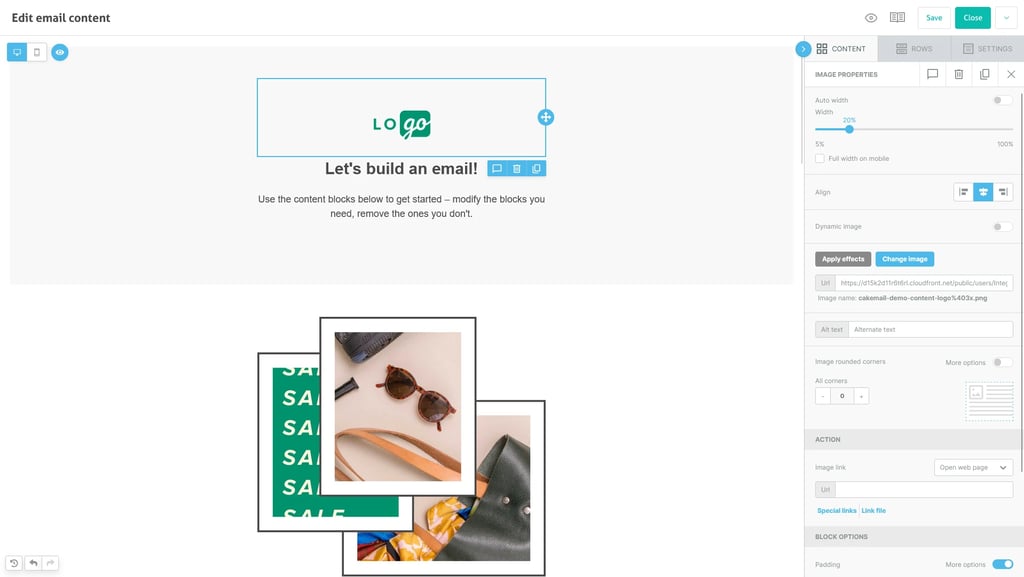
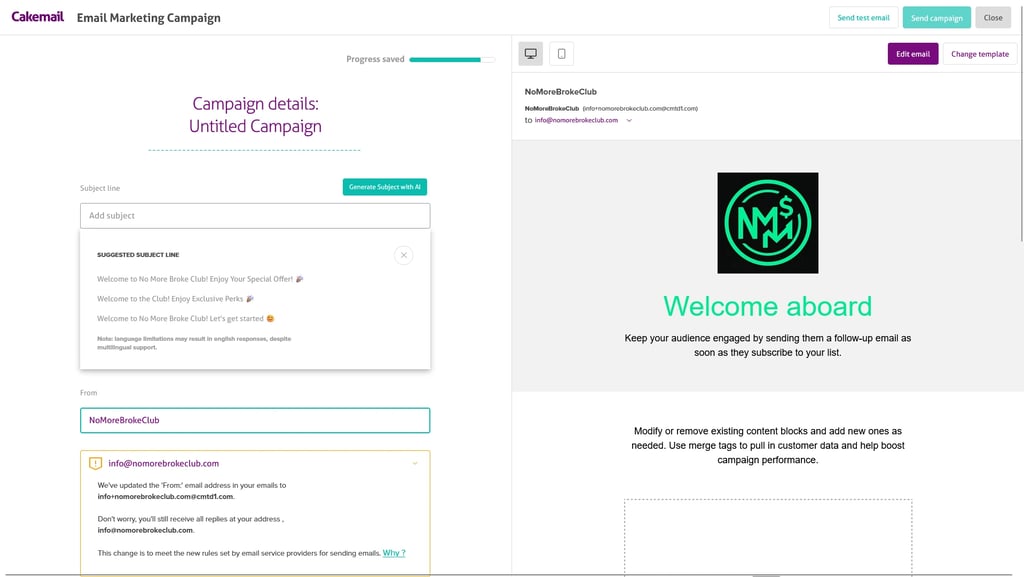
1. Drag-and-Drop Email Editor
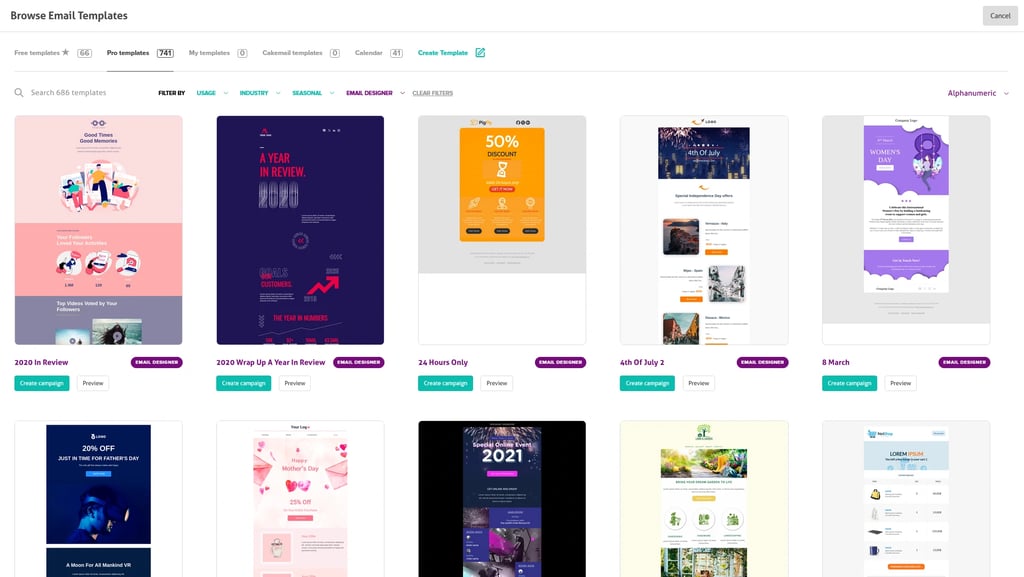
CakeMail’s editor is beginner-friendly with 700+ mobile-responsive templates. I built my CapCut newsletter in 10 minutes, but the designs are more basic compared to competitors.
Pros: No coding needed, quick mobile previews, and Unsplash image integration.
Cons: No advanced elements like countdown timers or AMP blocks.
Best Use: Affiliate newsletters, simple eCommerce promos.
💡 Pro Tip: Use Unsplash images to increase engagement by up to 5%
2. AI-Driven Content Generation
New for 2025, CakeMail has rolled out AI-powered email content generation, perfect for creators who struggle with writing copy from scratch. Simply enter your campaign goal and a few keywords, and CakeMail will suggest subject lines, headlines, and body text tailored to your audience.
I tested it by generating a NordVPN affiliate newsletter:
Drafted 3 subject line variations in seconds.
Suggested engaging intro paragraphs with CTA prompts.
Reduced my writing time by 40% while improving open rates.
Pros: Saves time, sparks ideas, great for non-writers.
Cons: Requires human editing to maintain brand voice.
Best Use: Quick campaign copy for affiliate marketing, seasonal promos, or product launches.
💡 Tip: Pair AI-generated copy with your best-performing email templates for faster A/B testing.
3. Basic Email Automation
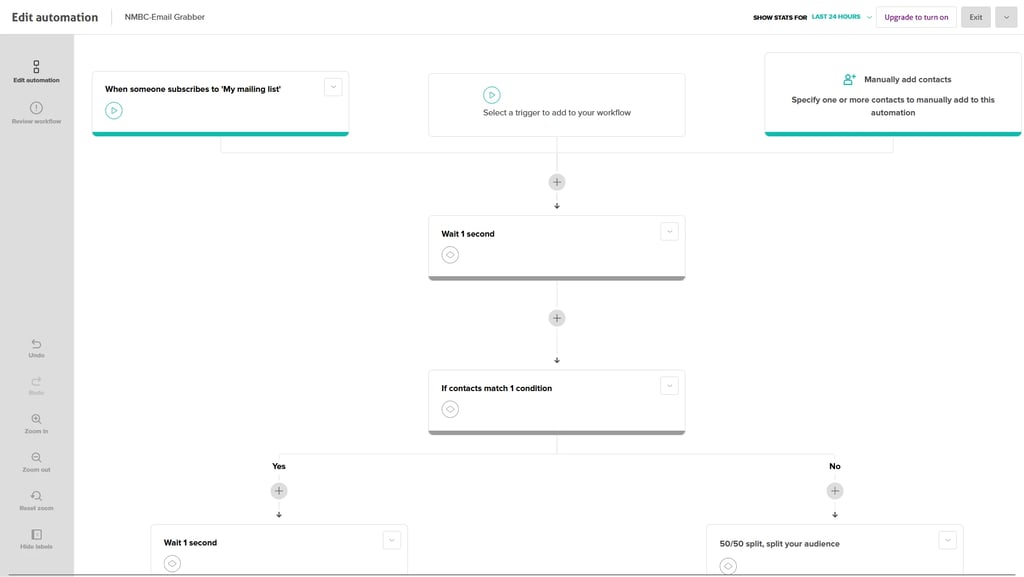
CakeMail supports welcome sequences and drip campaigns triggered by subscriber actions.
Pros: Simple setup for beginners, saves 2–3 hours weekly.
Cons: No advanced triggers or A/B testing in the new version.
Best Use: Onboarding new leads, affiliate follow-ups.
4. List Segmentation & Forms
You can segment subscribers by demographics or engagement level. Forms are basic but functional for lead capture.
Pros: Easy to import/export lists, integrates with Shopify and WooCommerce.
Cons: Limited targeting filters, no gamified forms.
Best Use: Targeting high-engagement leads from TikTok or YouTube.
CakeMail Pricing (2025)
💡 My Take: The Growth plan offers unbeatable value at $9/month for side hustlers & SMEs.
Pros and Cons
Pros
Affordable plans ($9/month for 500 contacts).
Free trial (30 days, 500 contacts) for testing.
User-friendly editor; campaigns built in 10–15 minutes.
700+ templates and Unsplash integration.
Integrates with Shopify, WooCommerce, and Zapier.
Cons
Limited automation; no behavioral triggers or A/B testing in the new version.
Basic templates lack advanced elements (e.g., countdown timers).
Outdated interface in the Classic version for A/B testing.
Customer support can be slow for free users.
CakeMail vs. Competitors
Want to Take Your Email Game to the Next Level? Check Out Our In-Depth Email Marketing Comparison for 2025!
Who Should Use CakeMail?
Side Hustlers: Affordable plans for affiliate campaigns (e.g., NordVPN, CapCut); saves time and money.
Small Businesses: Budget-friendly email marketing for eCommerce promos or lead capture.
Content Creators: Engage TikTok/YouTube audiences with simple newsletters.
Who Should Skip It?
Advanced marketers needing complex automation or A/B testing (try ActiveCampaign).
Those wanting dynamic templates or AMP emails (use SendPulse).
Final Verdict: 7.9/10 (Our Score)
CakeMail is a solid budget pick for side hustlers and SMEs in 2025, with affordable plans ($9/month) and a user-friendly editor. It's 700+ templates and integrations (Shopify, Zapier) are great for beginners, but limited automation, basic templates, and slow support hold it back. I earned $285 in commissions with minimal effort, perfect for broke starters, but advanced users may want more.
Ready to Start? Get CakeMail for free.
FAQs: CakeMail for Side Hustles (2025)
Q: Is CakeMail free for affiliate marketing?
A: Yes, for up to 500 contacts and 6000 emails per month. Supports campaigns with their Logo in it. Growth starting at $9/month is affordable. I earned $75 with a trial campaign. Start CakeMail for free.
Q: How does CakeMail help side hustles?
A: Its cheap plans and easy editor let you send affiliate newsletters fast. I built a CapCut campaign in 15 minutes, saving 3 hours weekly.
Q: Is CakeMail beginner-friendly?
A: Yes, the drag-and-drop editor is intuitive, but automation setup takes 20–30 minutes to learn. Great for beginners on a budget.
Q: Can SMEs use CakeMail for Instagram campaigns?
A: Yes, use forms to capture Instagram leads. I added 15 subscribers from TikTok traffic, but the limited analytics hinder tracking. Start CakeMail for free.
Note: Based on CakeMail, August 2025; check their site for updates.
Discover top tools for boosting your income, enhancing your marketing, and scaling your business. Check out our recommended apps and resources to help you succeed.
Transparency Note: This review includes affiliate links, but I tested CakeMail as a paying user for unbiased results. Share your experience by joining us!
A step-by-step system to help beginners start a blog and build their first online income.
Links
© 2026. NoMoreBrokeClub. All rights reserved. Some links are affiliate links, we earn a small commission at no cost to you.